Blog

Latest posts, demos and screenshots.

PostgreSQL Performance Optimization: How One Composite Index Reduced Query Time from 160ms to Under 1ms

Nov 25, 2026

By Ali Abbas Shah | Backend Architect

🚨 Your database might be the reason your API is slow. And buying a bigger server won't necessarily fix it.

One of the most common mistakes in backend performance optimization is scaling infrastructure before understanding what's actually happening inside the database.

Imagine a PostgreSQL query that executes in less than one millisecond with 500 test records.

Everything looks perfect during development.

Now deploy the same application with two million production records.

Suddenly:

  • API response times increase dramatically.
  • Database CPU utilization reaches 100%.
  • Queries that previously took milliseconds start taking seconds.
  • Application performance becomes unpredictable under load.

What changed?

The problem might not be your application server, framework, or infrastructure.

It could be a missing database index.

In this PostgreSQL performance optimization demonstration, I'll show how to identify an inefficient query execution plan and fix it using a simple composite index.

1. Understanding the Problem: Sequential Scan

PostgreSQL uses different execution strategies to retrieve data.

One of them is a Sequential Scan.

A Sequential Scan reads through the table to identify records matching the query conditions.

For a small table, this can be perfectly reasonable.

But when a table contains millions of records, repeatedly scanning large portions of the dataset can become expensive.

Consider an orders table containing two million records.

Suppose an application frequently executes queries filtering orders by customer and status.

Without an appropriate index, PostgreSQL may need to examine a large number of rows to find the matching records.

The result?

Increased disk I/O, CPU utilization, and query execution time.

This is why a query that performs well with a small development dataset can become a serious production bottleneck.

2. Diagnosing the Issue with EXPLAIN ANALYZE

Instead of immediately increasing server resources, I started by examining PostgreSQL's actual query execution plan.

The command:

EXPLAIN (ANALYZE, BUFFERS)
SELECT *
FROM orders
WHERE customer_id = 123
  AND status = 'completed';

This provides valuable information about how PostgreSQL executes the query.

EXPLAIN ANALYZE helps identify:

  • Actual execution time
  • Rows examined and returned
  • Sequential scans versus index scans
  • Query planning and execution costs

BUFFERS provides information about shared buffer activity, including cache hits and disk reads.

The execution plan revealed that PostgreSQL was performing a Sequential Scan.

That was the bottleneck I needed to investigate.

3. The Fix: Create a Composite Index

The query frequently filtered records using two columns:

  • customer_id
  • status

Instead of relying on repeated table scans, I introduced a composite index.

CREATE INDEX idx_orders_cust_status
ON orders (customer_id, status);

A composite index stores index entries based on multiple columns, allowing PostgreSQL to efficiently locate records matching the indexed conditions.

The column order matters.

It should reflect the application's actual query patterns, filtering conditions, and other index usage requirements.

For this particular demonstration, the composite index was designed around the customer and status filters.

4. The Execution Plan Changed

After creating the index, I ran the same query again using:

EXPLAIN (ANALYZE, BUFFERS)
SELECT *
FROM orders
WHERE customer_id = 123
  AND status = 'completed';

The execution plan changed from:

Before: Sequential Scan

After: Bitmap Index Scan

PostgreSQL could now use the composite index to locate matching records instead of scanning the entire table.

The improvement was significant.

5. Performance Results

Here are the results observed in this demonstration:

Performance metricBeforeAfter
Query execution~160 msUnder 1 ms
Database CPU~100%~11%
Load-test latencySeconds~1.5 ms
Infrastructure cost—No increase

These are demonstration-specific results, not guaranteed improvements for every PostgreSQL workload.

The important takeaway is that we achieved a substantial performance improvement without upgrading the infrastructure.

A carefully selected database index addressed the underlying query execution problem.

6. Why This Matters for Backend Architecture

Database optimization isn't simply about adding indexes everywhere.

Indexes introduce their own costs:

  • Additional disk storage
  • More work during INSERT operations
  • Additional maintenance during UPDATE and DELETE operations
  • Index maintenance and vacuum considerations

Creating unnecessary indexes can actually hurt write-heavy workloads.

As a backend architect, I prefer to understand the application's query patterns before deciding which indexes to introduce.

My usual optimization approach:

  1. Identify the slow endpoint or database query.
  2. Capture the actual SQL being executed.
  3. Run EXPLAIN (ANALYZE, BUFFERS).
  4. Identify inefficient scans and excessive buffer reads.
  5. Review existing indexes and query selectivity.
  6. Introduce an appropriate index or optimize the query.
  7. Run the same test again.
  8. Compare execution plans and load-test results.

This approach helps solve the actual bottleneck rather than spending money on infrastructure without understanding the problem.

7. Final Thoughts: Optimize Before You Scale

A bigger server isn't always the answer to a slow application.

Sometimes, the problem is a missing index, an inefficient JOIN, excessive database queries, or a poorly designed data access pattern.

In this demonstration, a single composite index changed PostgreSQL's execution strategy and reduced query execution time from approximately 160 milliseconds to under one millisecond.

No infrastructure upgrade was required.

My Golden Rule: Before scaling your infrastructure, understand what your database is actually doing.

One well-designed index can sometimes deliver more performance improvement than an expensive server upgrade.


Watch the Complete Demonstration

See how PostgreSQL's execution plan changes from Sequential Scan to Bitmap Index Scan, and how a composite index improves query performance.


About the Author

Ali Abbas Shah is a Backend Architect and Senior Software Engineer specializing in scalable backend systems, PostgreSQL optimization, database performance, and production application architecture.

Website: https://aliabbasshah.com
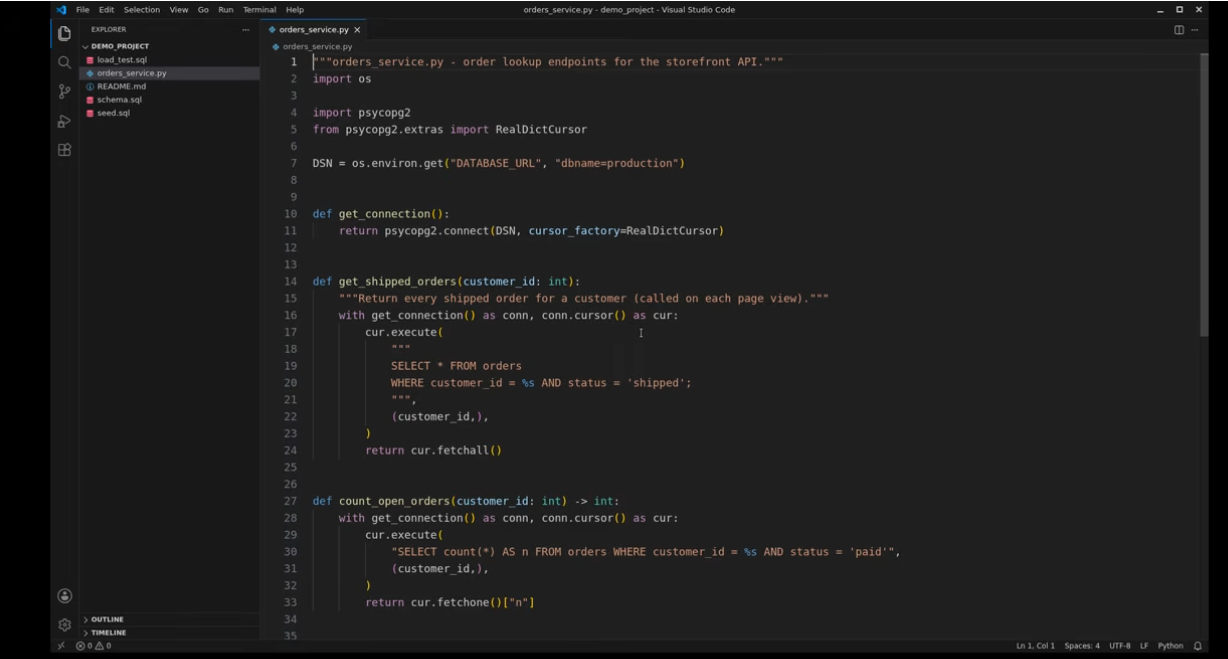
VS Code showing orders_service.py with a PostgreSQL query filtering orders by customer_id and status, used in the composite index performance demo

AI-Generated Code Is Not Production-Ready: 4 Critical Bugs Senior Engineers Must Catch

Nov 25, 2026

AI coding assistants have fundamentally changed how software is developed.

Tools like Cursor, Claude, and GitHub Copilot can generate code, create features, write unit tests, and accelerate development workflows.

But there's a dangerous assumption emerging in software engineering:

If the code looks clean and all unit tests pass, it must be production-ready.

That's not necessarily true.

We recently audited a startup codebase where more than 80% of the code had been written by AI agents.

Every unit test was green. However, the application repeatedly crashed when production traffic increased.

The problem wasn't necessarily the framework or programming language. It was the architectural decisions hidden inside otherwise clean-looking code.

AI can accelerate implementation, but production reliability still requires engineering judgment.

Here are four critical issues I look for when reviewing AI-assisted pull requests.

1. Hidden N+1 Queries Disguised Inside Promise.all()

One common mistake is generating asynchronous code that looks efficient but creates excessive database queries.

Consider this example:

const users = await User.findAll();

const results = await Promise.all(
  users.map(async (user) => {
    const orders = await Order.findAll({
      where: { userId: user.id }
    });

    return {
      ...user.toJSON(),
      orders
    };
  })
);

At first glance, Promise.all() looks like a performance optimization.

But what happens when the application loads 5,000 users?

It can trigger thousands of database queries simultaneously.

This creates unnecessary database pressure, connection pool exhaustion, and unpredictable response times.

Senior architectural fix:

  • Use eager loading and appropriate JOINs.
  • Fetch related records in batches.
  • Use DataLoader-style batching where appropriate.
  • Monitor query counts and execution times.
  • Test performance with realistic dataset sizes.

The goal is to keep query complexity under control as data volume grows.

2. Missing Database Lock Boundaries

AI-generated code can easily overlook concurrency problems.

Consider a payment or inventory workflow where two requests attempt to update the same record simultaneously.

Without proper transaction boundaries and locking, both requests might read the same initial value and overwrite each other's changes.

This creates race conditions that may be difficult to reproduce during normal testing.

Senior architectural fix:

Use database transactions and appropriate locking strategies.

For example, PostgreSQL supports:

BEGIN;

SELECT *
FROM accounts
WHERE id = 123
FOR UPDATE;

-- Validate and update account balance

COMMIT;

SELECT FOR UPDATE locks the selected row until the transaction completes.

Choose the appropriate isolation and locking strategy based on the business operation.

Never assume that asynchronous JavaScript execution automatically guarantees database consistency.

3. Duplicated Business Logic Across Multiple Files

Another common issue is copy-pasted business logic.

An AI assistant may implement the same validation or calculation independently in controllers, services, background jobs, and webhook handlers.

Initially, everything works.

But when business requirements change, developers must update multiple implementations.

Eventually, one implementation gets missed.

The result is inconsistent application behavior.

Senior architectural fix:

Introduce shared domain services.

For example:

class OrderService {
  async calculateTotal(order) {
    // Centralized business rules
  }

  async validateOrder(order) {
    // Shared validation logic
  }
}

Controllers, workers, and webhook handlers should reuse the same domain logic rather than maintaining separate copies.

The objective is not simply fewer lines of code. It's consistent business behavior across the application.

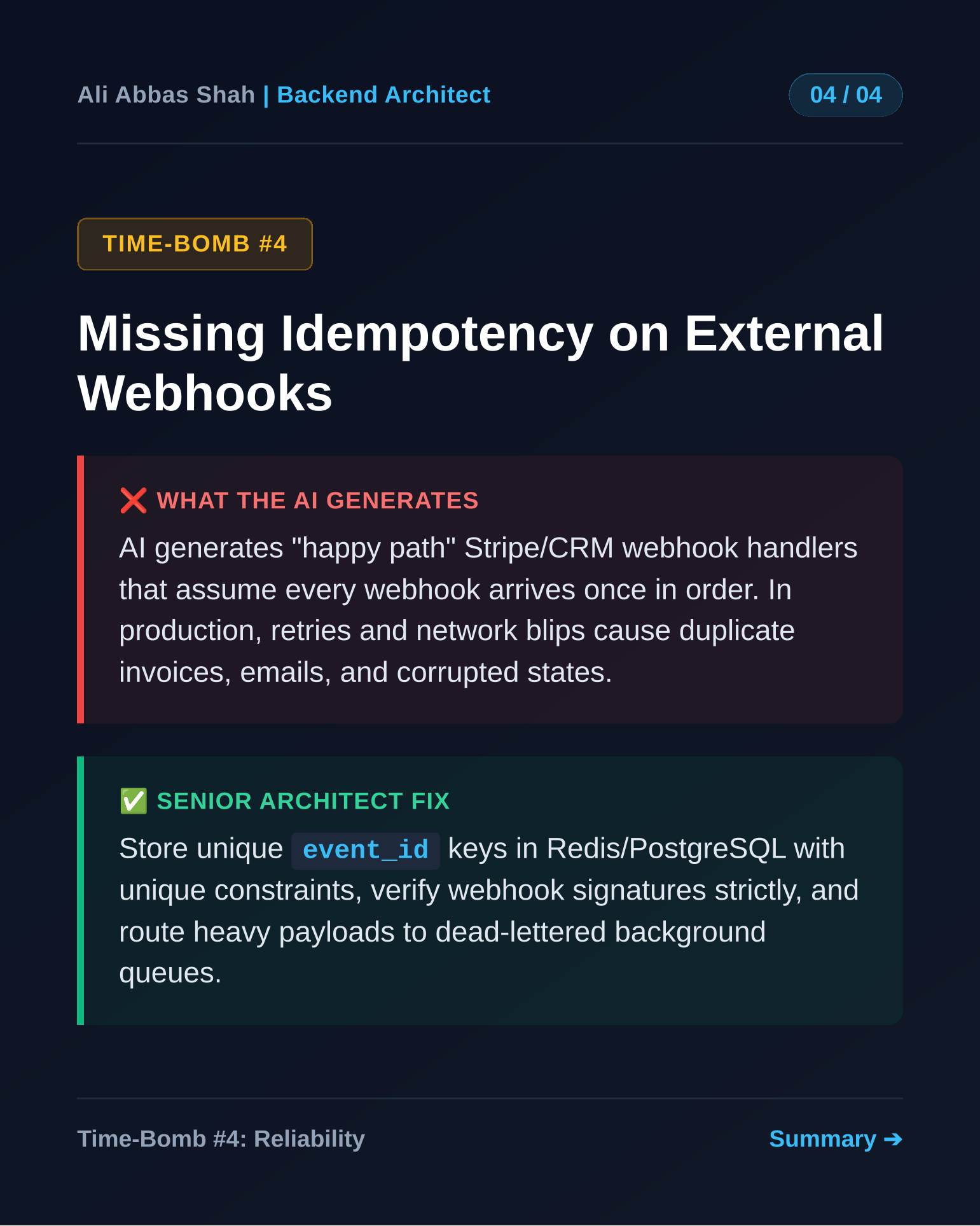
4. Webhook Handlers Without Idempotency

Webhooks introduce another important production challenge.

Payment providers and external services may retry webhook deliveries when they don't receive a successful response.

If your handler processes the same event multiple times without protection, you can accidentally:

  • Charge or credit an account twice.
  • Create duplicate orders.
  • Send duplicate notifications.
  • Trigger repeated background jobs.

Senior architectural fix:

Implement idempotency using unique event identifiers and durable processing records.

A typical approach:

  1. Receive the webhook event.
  2. Validate its authenticity.
  3. Check whether the event has already been processed.
  4. Atomically claim the event using a unique database constraint.
  5. Process the business operation within the appropriate transaction.
  6. Record the final processing status.
  7. Return an appropriate response.

The system must safely handle retries, duplicate deliveries, and concurrent processing attempts.

5. My AI-Assisted Code Review Checklist

Before merging an AI-assisted pull request, I recommend checking these four areas:

  • Database performance: Does query count remain controlled as the number of records increases?
  • Concurrency: Are critical writes protected by appropriate transaction and locking boundaries?
  • Architecture: Are shared domain services reused instead of duplicating business logic?
  • Reliability: Are webhook handlers and background workers designed to handle retries and duplicate execution safely?

Passing unit tests is important, but it doesn't automatically prove that an application is ready for production.

Final Thoughts: AI Accelerates Typing. Architecture Prevents Outages.

AI coding tools are not the enemy.

Cursor, Claude, Copilot, and other AI assistants can significantly improve developer productivity.

But generating code faster doesn't eliminate the need for:

  • Database architecture
  • Concurrency control
  • Domain-driven design
  • Distributed systems knowledge
  • Production monitoring
  • Reliable failure handling

The role of an experienced engineer is evolving.

It's no longer just about writing code. It's about reviewing decisions, identifying hidden risks, and ensuring that systems behave correctly under real production conditions.

My rule for 2026: Let AI accelerate implementation, but never outsource architectural responsibility.


About the Author

Ali Abbas Shah is a Backend Architect and Senior Software Engineer focused on scalable backend systems, database performance, application architecture, and production reliability.

Website: https://aliabbasshah.com
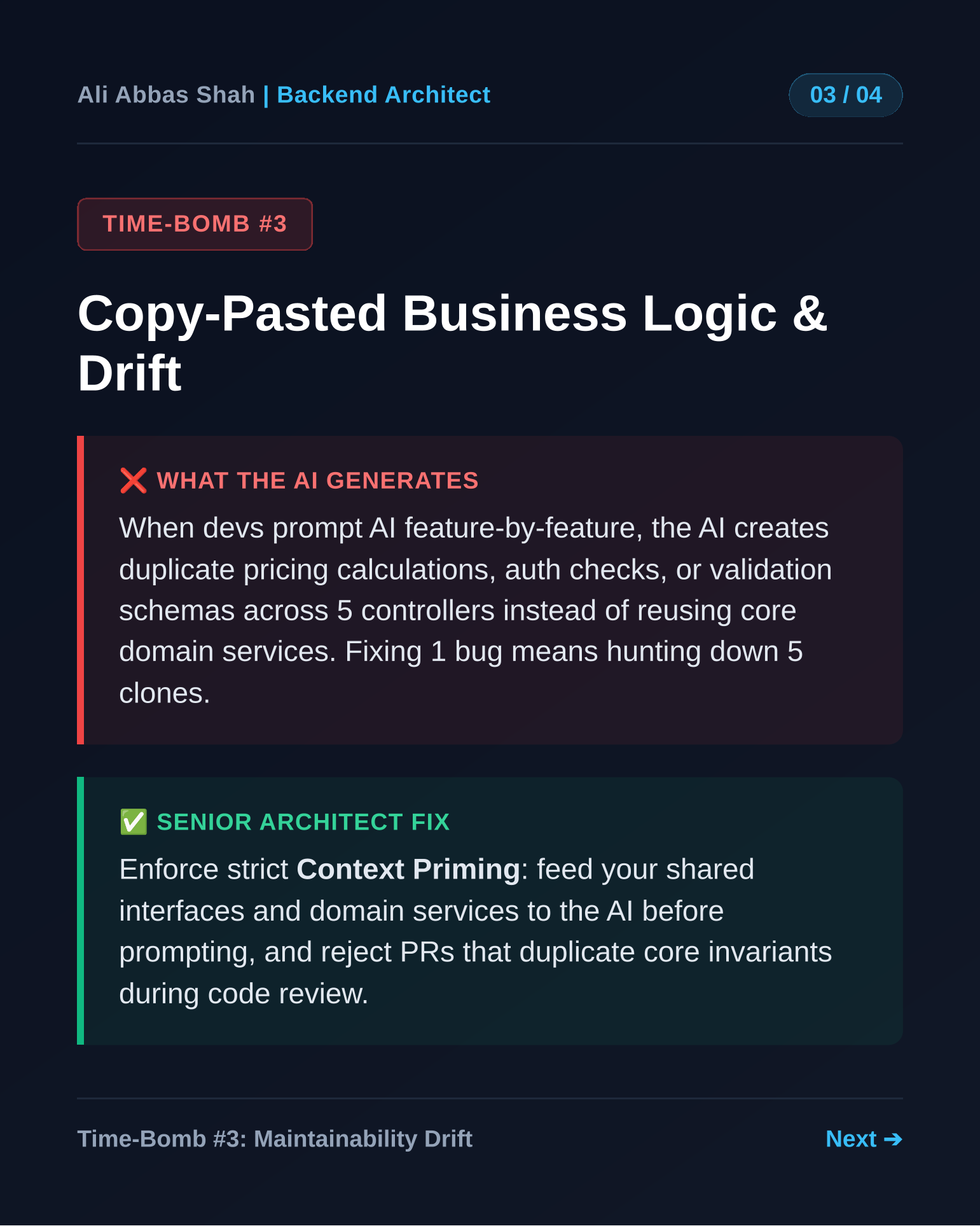
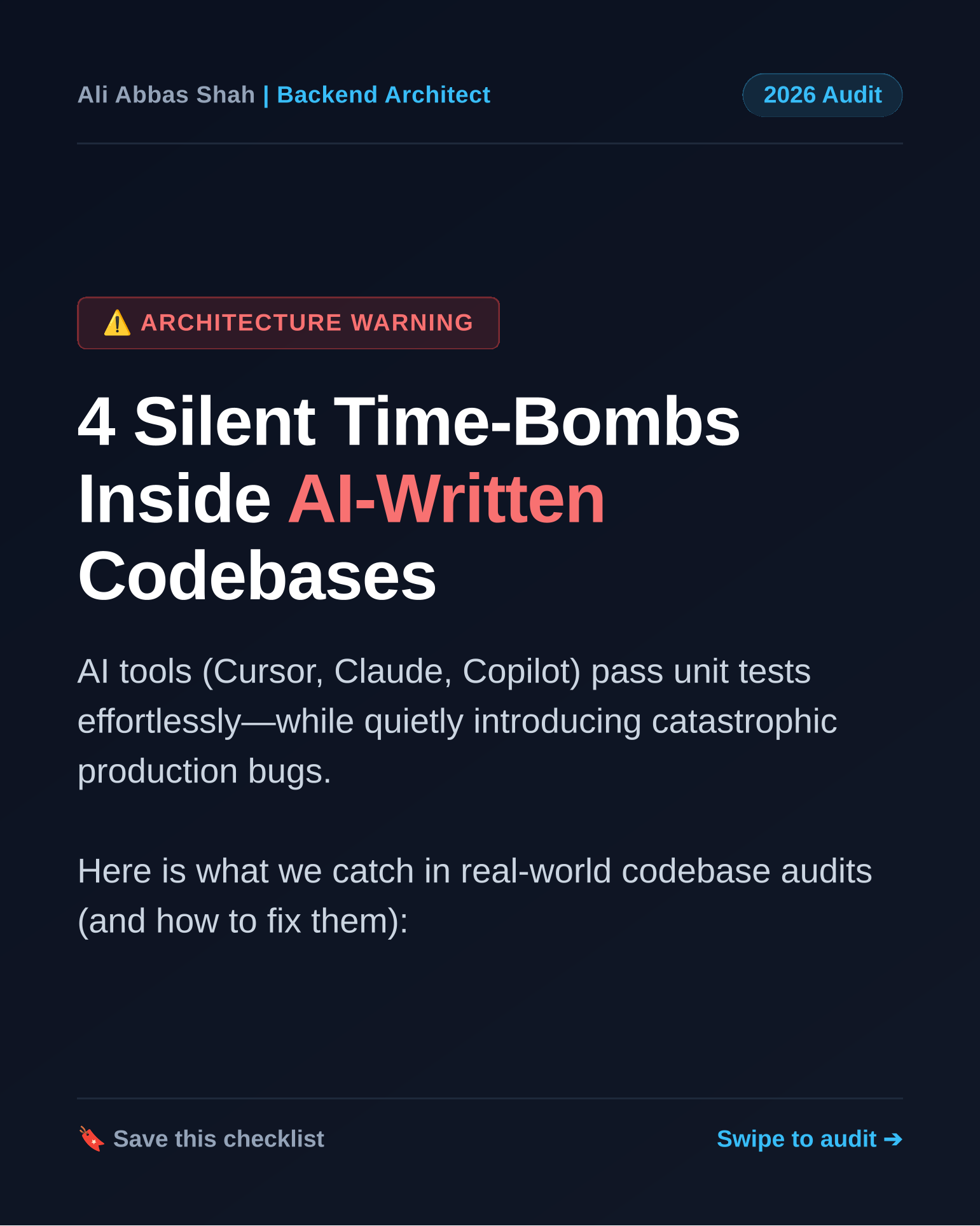
4 silent time-bombs inside AI-written codebases: AI tools like Cursor, Claude and Copilot pass unit tests while introducing production bugs
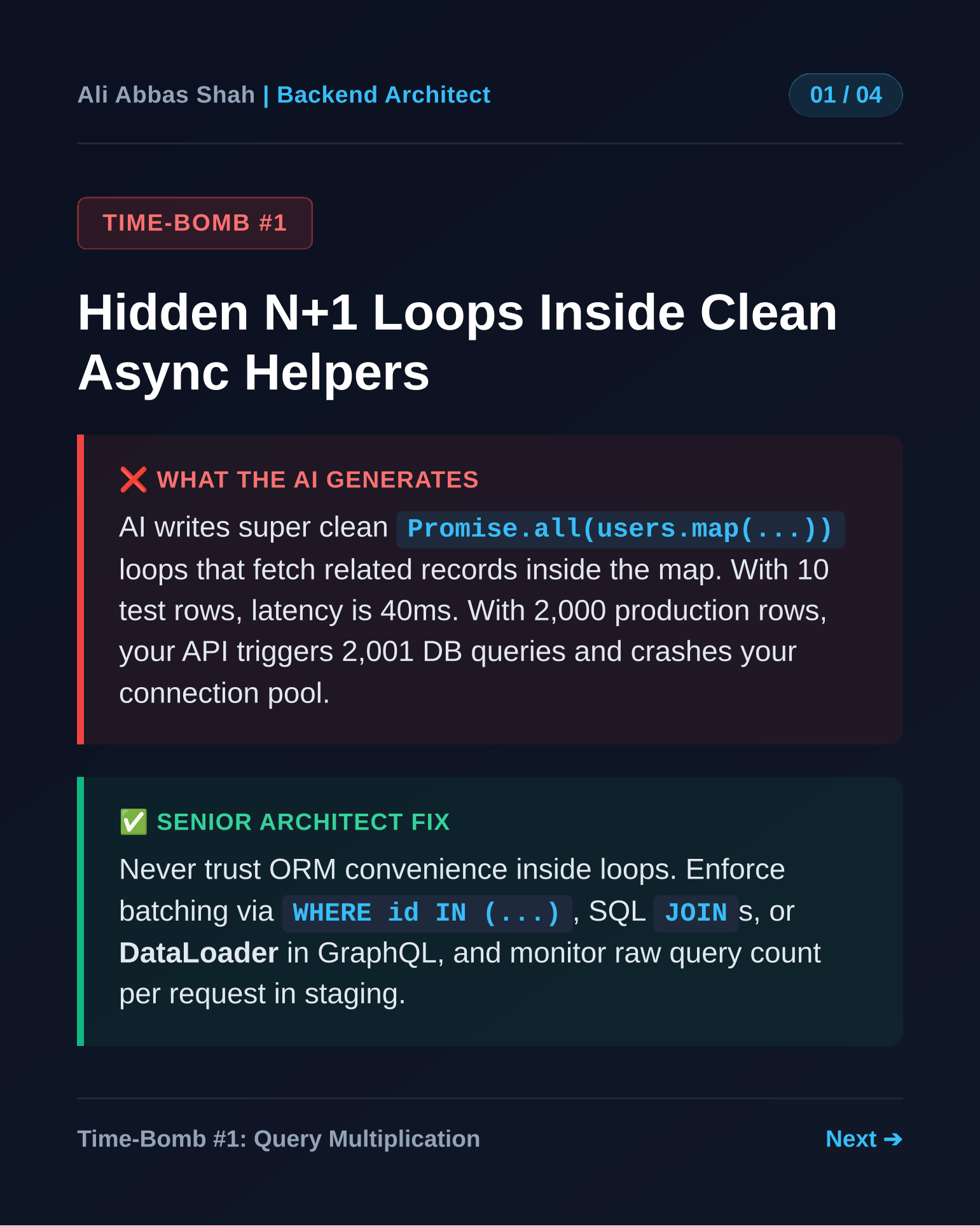
Time-bomb 1: hidden N+1 database queries inside Promise.all loops, fixed with batched WHERE IN queries, SQL JOINs or DataLoader
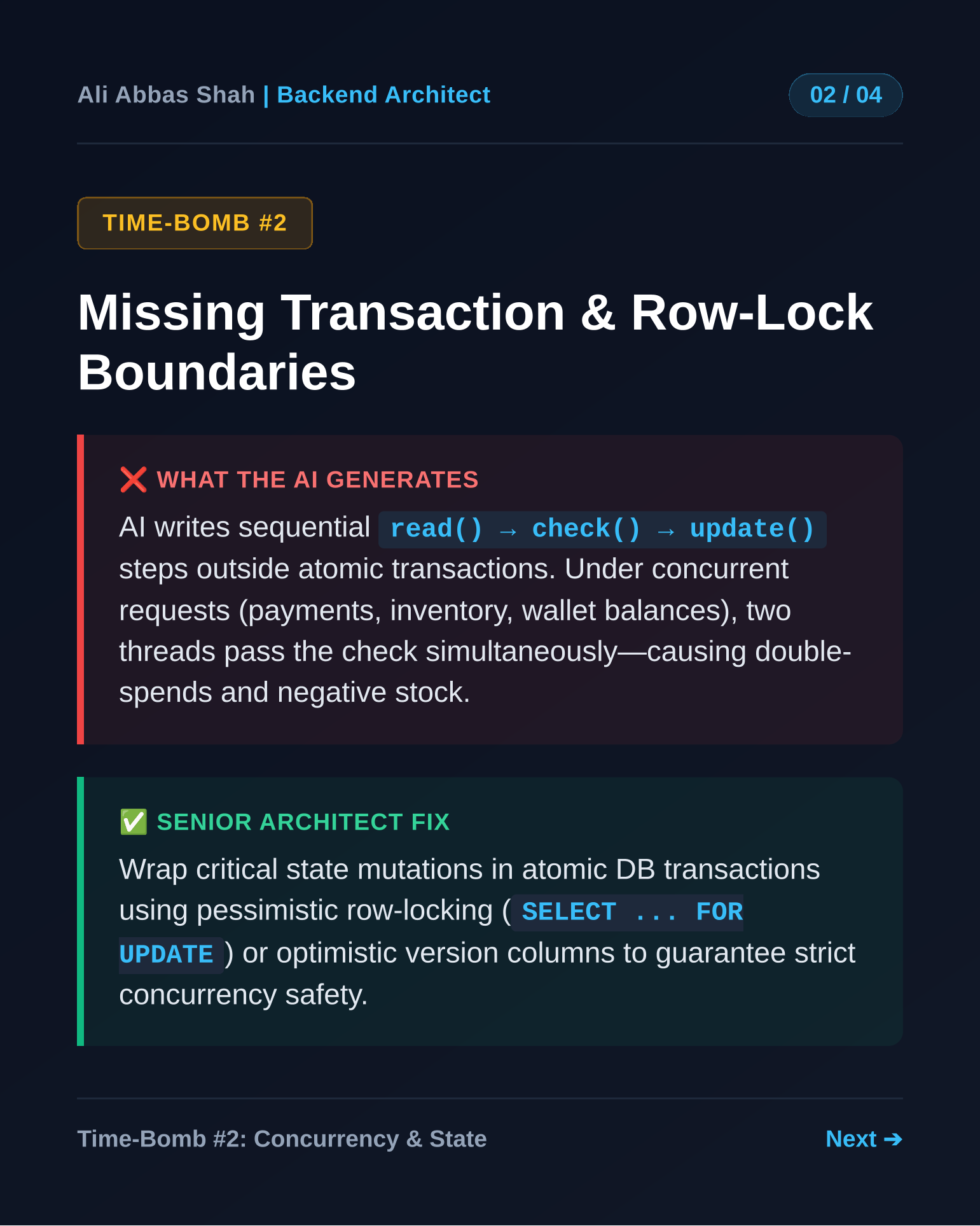
Time-bomb 2: missing transaction and row-lock boundaries cause double-spends under concurrency, fixed with atomic transactions and SELECT FOR UPDATE
Time-bomb 3: AI duplicates pricing, auth and validation logic across controllers, fixed by reusing shared domain services +2
Time-bomb 4: webhook handlers without idempotency create duplicate invoices and emails, fixed with unique event IDs and signature verification
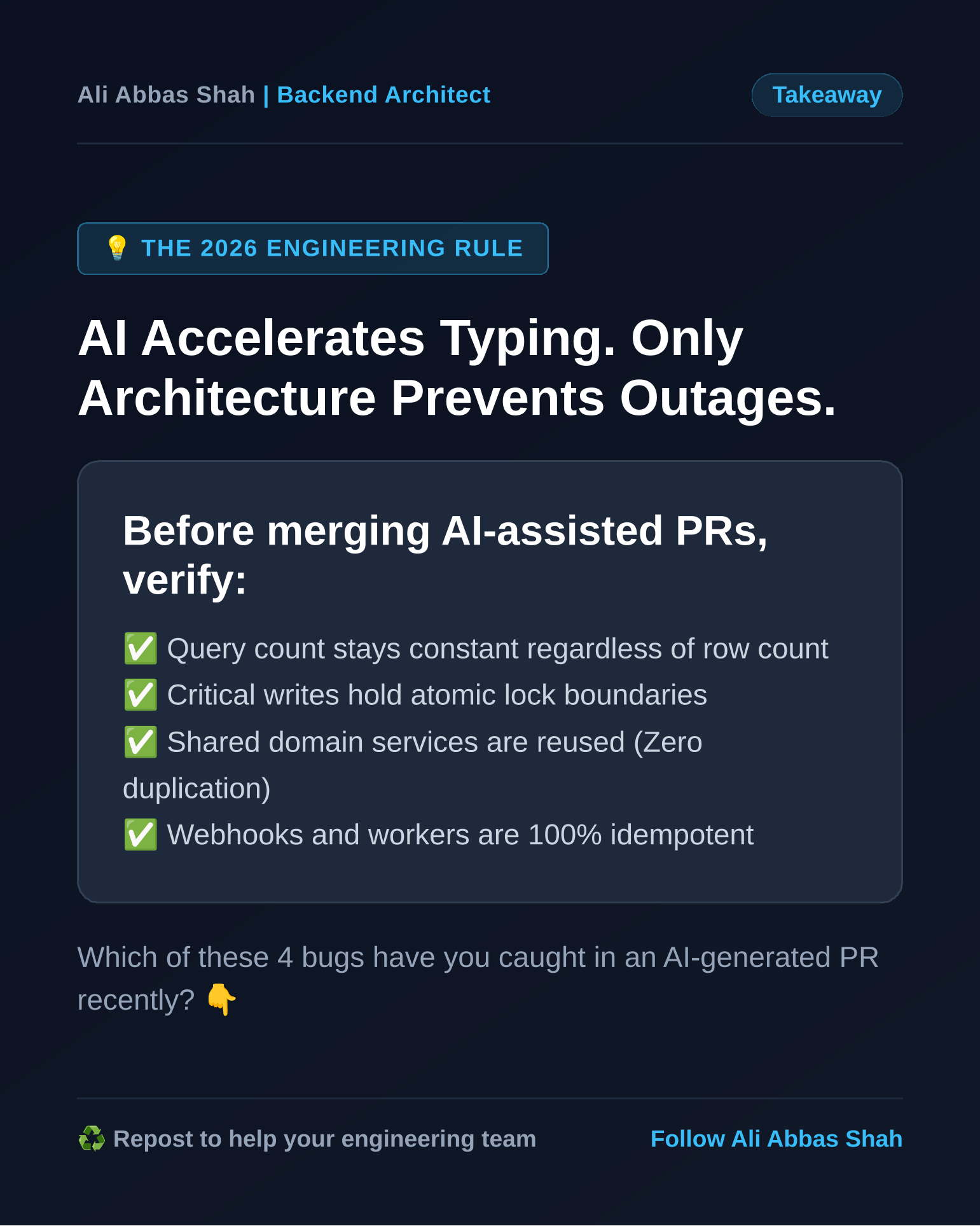
Checklist before merging AI-assisted pull requests: constant query count, atomic lock boundaries, reused domain services and idempotent webhooks

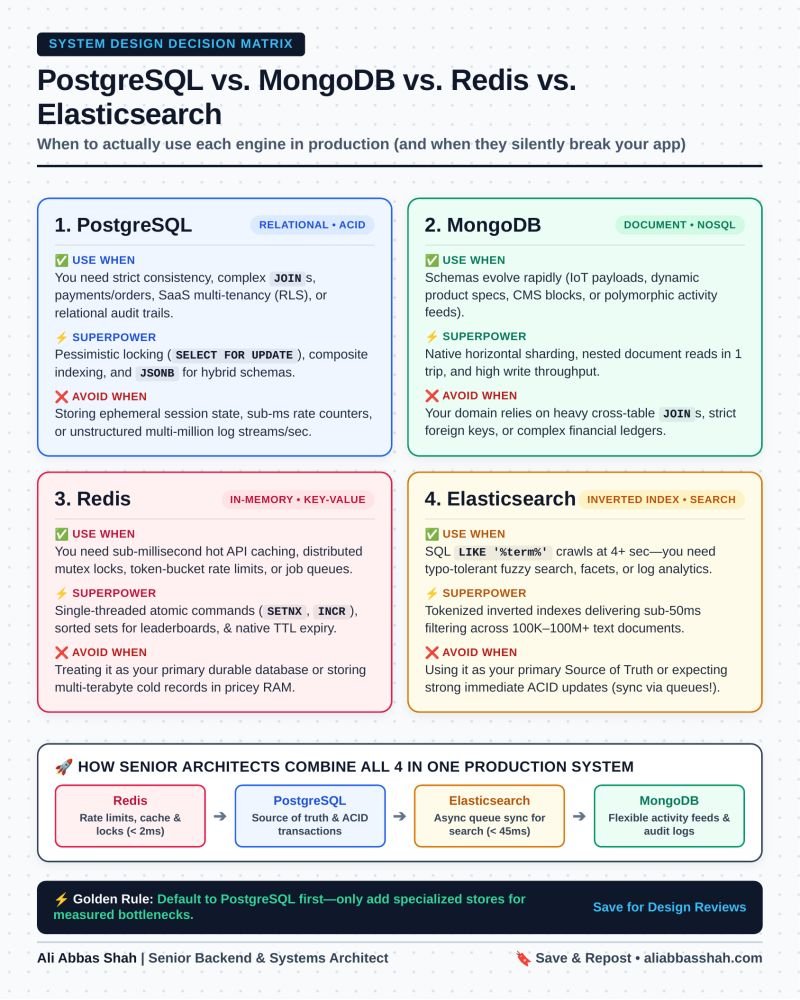
PostgreSQL vs MongoDB vs Redis vs Elasticsearch: Choosing the Right Database for Production Systems

Nov 25, 2026

Choosing a database is one of the most important architectural decisions in backend engineering.

Yet, many applications suffer from performance problems not because their frameworks are inefficient, but because their storage engines are being used for workloads they weren't designed to handle.

I've seen applications execute expensive full-text searches using PostgreSQL queries such as LIKE '%search%', resulting in response times exceeding four seconds.

I've also seen systems misuse Redis or Elasticsearch as primary databases, creating unnecessary risks around durability, consistency, and data synchronization.

The solution isn't to use more databases. It's to understand what each database does best.

Let's examine four commonly used technologies and where they belong in a production architecture.

1. PostgreSQL: Relational Data and Transactional Consistency

PostgreSQL should be the starting point for most applications that require reliable transactional data.

Its ACID guarantees, relational model, indexing capabilities, and concurrency controls make it particularly suitable for business-critical systems.

When to use PostgreSQL:

  • Financial transactions and payment processing
  • Orders, invoices, and accounting systems
  • Multi-tenant SaaS applications using Row-Level Security (RLS)
  • Complex JOIN operations
  • Relational audit trails
  • Concurrent transactions requiring row-level locking

Important capabilities:

  • ACID transactions
  • SELECT FOR UPDATE for pessimistic locking
  • Composite indexes
  • JSONB for semi-structured data
  • Row-Level Security for tenant isolation

When not to use it:

Avoid making PostgreSQL handle every workload when specialized search engines or in-memory systems can perform that task more efficiently.

2. MongoDB: Flexible Document-Based Storage

MongoDB is useful when your application's data naturally fits a document-oriented model.

It provides flexibility for applications where schemas evolve frequently or where nested document structures are common.

When to use MongoDB:

  • IoT data and event payloads
  • Dynamic product catalogs
  • Content management systems
  • Polymorphic activity feeds
  • Flexible document structures
  • Nested document reads

Important capabilities:

  • Document-based storage
  • Flexible schemas
  • Horizontal scaling through sharding
  • Efficient nested document access
  • Aggregation pipelines

When not to use it:

Avoid choosing MongoDB simply because you want flexible schemas.

If your application depends heavily on relational integrity, complex cross-table JOINs, or financial transactions, PostgreSQL may be a better foundation.

3. Redis: In-Memory Performance

Redis is designed for extremely fast data access.

It is particularly valuable when applications need low-latency operations without repeatedly querying the primary database.

When to use Redis:

  • Hot API response caching
  • Distributed locks
  • Token-bucket rate limiting
  • Session and temporary state management
  • Background job queue infrastructure
  • Leaderboards and sorted sets

Important capabilities:

  • In-memory data access
  • Atomic commands such as SETNX and INCR
  • Sorted sets
  • Native TTL expiration
  • Pub/Sub and streaming capabilities

When not to use it:

Don't automatically treat Redis as your primary durable database.

Memory costs, persistence configuration, eviction policies, and recovery requirements must be considered before storing critical application data.

4. Elasticsearch: Full-Text Search and Analytics

Elasticsearch is designed around inverted indexes, making it particularly effective for searching large text-based datasets.

Consider a product catalog containing millions of records.

A poorly designed SQL search using LIKE '%term%' might take over four seconds. With an appropriately designed Elasticsearch index, the same search workload can potentially return results in under 45 milliseconds.

Actual performance depends on indexing strategy, hardware, query complexity, and dataset characteristics.

When to use Elasticsearch:

  • Full-text search
  • Fuzzy matching
  • Complex search filters
  • Product discovery
  • Log analytics
  • Large-scale document search

Important capabilities:

  • Inverted indexes
  • Tokenized text search
  • Fuzzy queries
  • Relevance scoring
  • Distributed search and aggregation

When not to use it:

Avoid using Elasticsearch as your primary Source of Truth when your application requires transactional ACID guarantees and immediate consistency.

Instead, synchronize searchable data asynchronously using background queues.

5. How to Combine All Four in a Production Architecture

Senior architects don't necessarily choose one database and reject everything else.

They assign each engine a clearly defined responsibility.

A practical architecture could look like this:

Redis — Performance Layer

Handles caching, rate limits, temporary state, and distributed locks.

PostgreSQL — Transactional Layer

Maintains the primary application data, relationships, financial records, and transactional integrity.

Elasticsearch — Search Layer

Receives asynchronously synchronized data and handles full-text search, fuzzy matching, and filtering.

MongoDB — Specialized Document Layer

Handles workloads where flexible document structures and independent document access make sense.

The important principle is to establish clear ownership of data.

For example, PostgreSQL can remain the authoritative source while Elasticsearch maintains a searchable representation updated through background jobs.

This prevents search infrastructure from becoming responsible for transactional consistency.

6. My Golden Rule: Start with PostgreSQL

Don't introduce four databases just because your architecture diagram looks more impressive.

Every additional storage engine introduces operational complexity:

  • More infrastructure to maintain
  • Additional monitoring requirements
  • Data synchronization challenges
  • Backup and recovery considerations
  • More failure scenarios

Start with PostgreSQL.

Introduce Redis, MongoDB, or Elasticsearch only when a genuine workload requirement or measurable bottleneck justifies the additional complexity.

Good architecture isn't about using every technology. It's about knowing when not to use one.


About the Author

Ali Abbas Shah is a Senior Backend Engineer and Systems Architect specializing in backend engineering, scalable application architecture, database performance, and modern web technologies.

Website: https://aliabbasshah.com
PostgreSQL vs MongoDB vs Redis vs Elasticsearch decision matrix: when to use each database, its key strengths, when to avoid it, and how to combine all four in one production system

Is the Tech Hiring Process Finding the Best Engineers—or Just Testing Their Patience?

Oct 29, 2026

Navigating the remote job market as an experienced software engineer over the past few months has been an eye-opening reality check.

Here’s something people in tech hiring don’t always talk about openly.

You bring 12+ years of hands-on production experience, a proven track record of scaling platforms, and real-world case studies demonstrating the impact of your work.

Yet, the standard hiring pipeline often looks like this:

  • An automated, one-way video interview where you speak to a blank screen.
  • An academic coding challenge with little relevance to building real-world software.
  • A take-home assignment that expects you to spend your weekend building a demo app—for free.

And after investing hours of genuine effort?

You receive an automated, no-reply email:

“Due to the high volume of applicants, we cannot provide individual feedback.”

I completely understand that companies need to verify technical skills and manage high application volumes. But when did hiring an engineer become a trivia contest rather than an evaluation of real-world problem-solving ability?

What Should Engineering Interviews Actually Measure?

In my experience, you can learn far more about an engineer in a focused, 30-minute conversation about a real production system they built.

For example:

  • Problem-solving: How did they diagnose and resolve their most challenging production incident?
  • Communication: How do they collaborate with teammates, explain technical decisions, and handle disagreements?
  • System design: How do they build reliable systems that can handle real-world traffic and unexpected failures?
  • Engineering judgment: How do they balance performance, scalability, maintainability, delivery speed, and business requirements?

These conversations reveal how engineers think, make decisions, and solve problems under real-world constraints.

Code syntax can be looked up, and AI can generate code in seconds. But sound engineering judgment, architectural thinking, accountability, and lessons learned from production experience take years to develop.

Is the Hiring Process Measuring the Right Things?

To hiring managers, founders, recruiters, and fellow engineers: I’d genuinely love to hear your perspective.

Are today's multi-stage hiring processes helping companies find the best engineers, or are they primarily filtering for candidates who have enough time and flexibility to jump through every hoop?

What would you change about the technical hiring process to make it more practical, fair, and effective?

Let's discuss.

#TechCareers #SoftwareEngineering #TechHiring #JobMarket #EngineeringLeadership #RemoteWork

97% Smaller Payload, 3× Faster Loading: The Power of HTTP Compression 🚀

Oct 23, 2026

Your app isn't slow. It's carrying too much luggage. 🧳
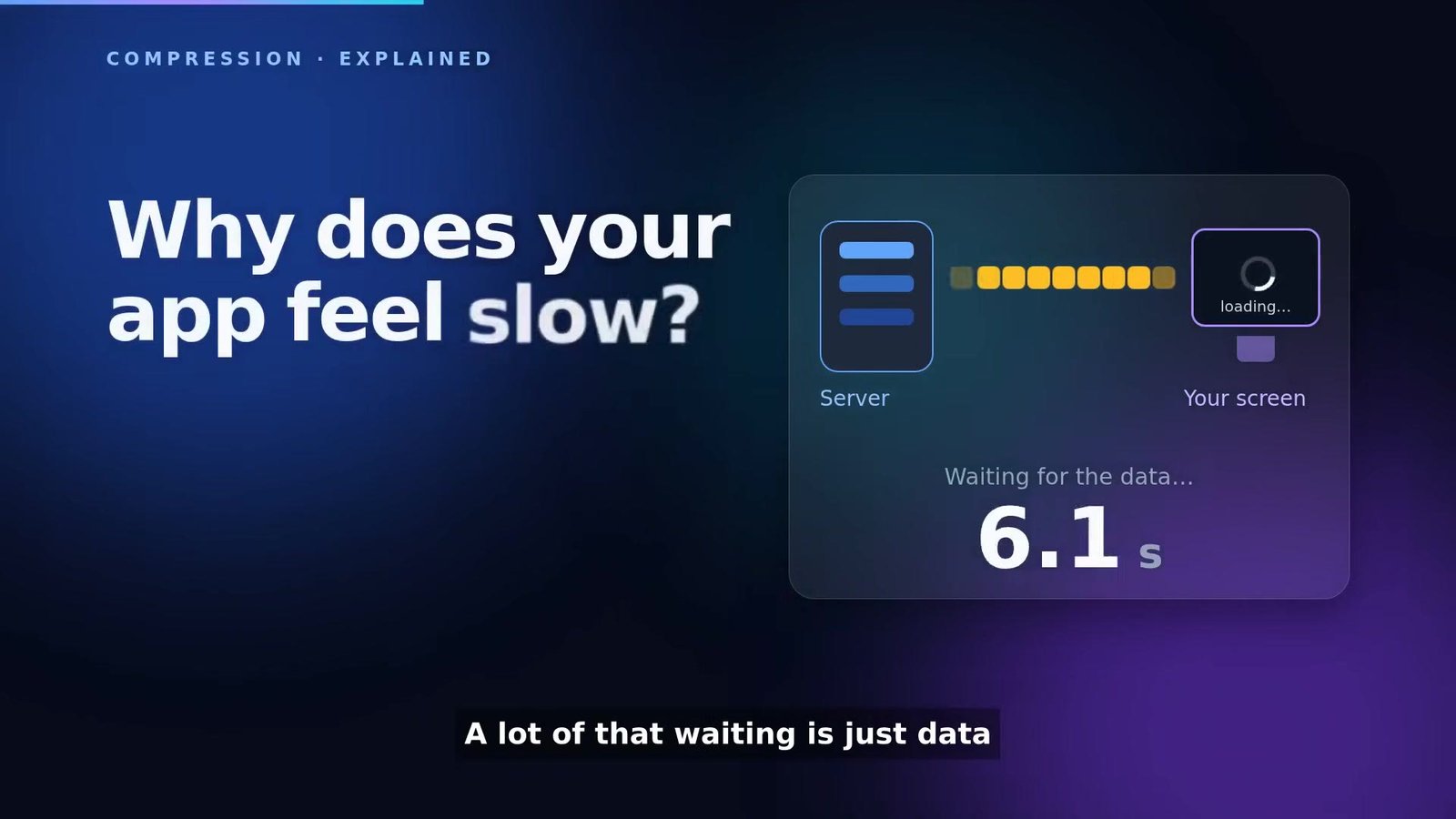
Every time you open an app, it downloads data from a server. On a weak connection, that download is the wait.
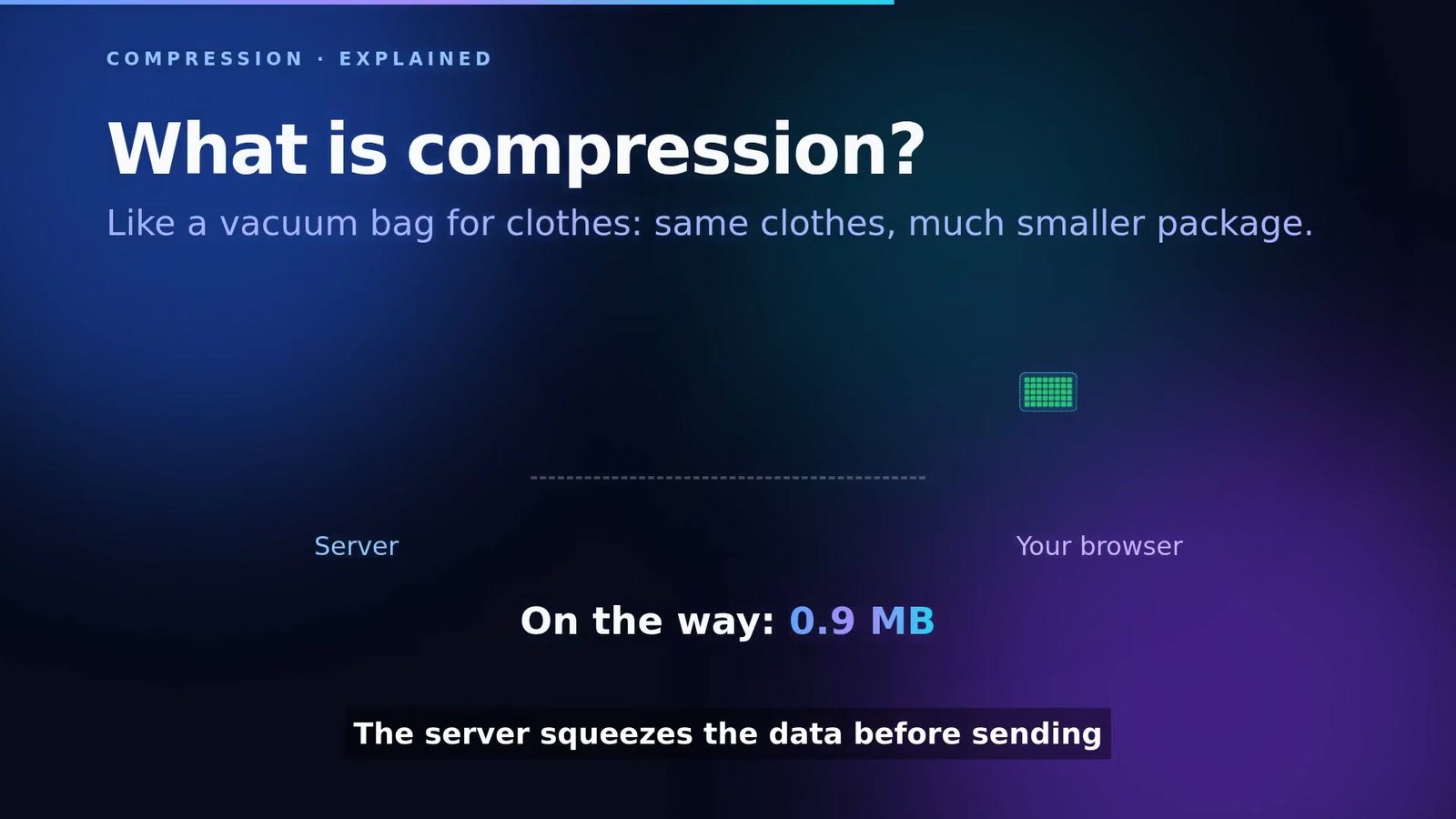
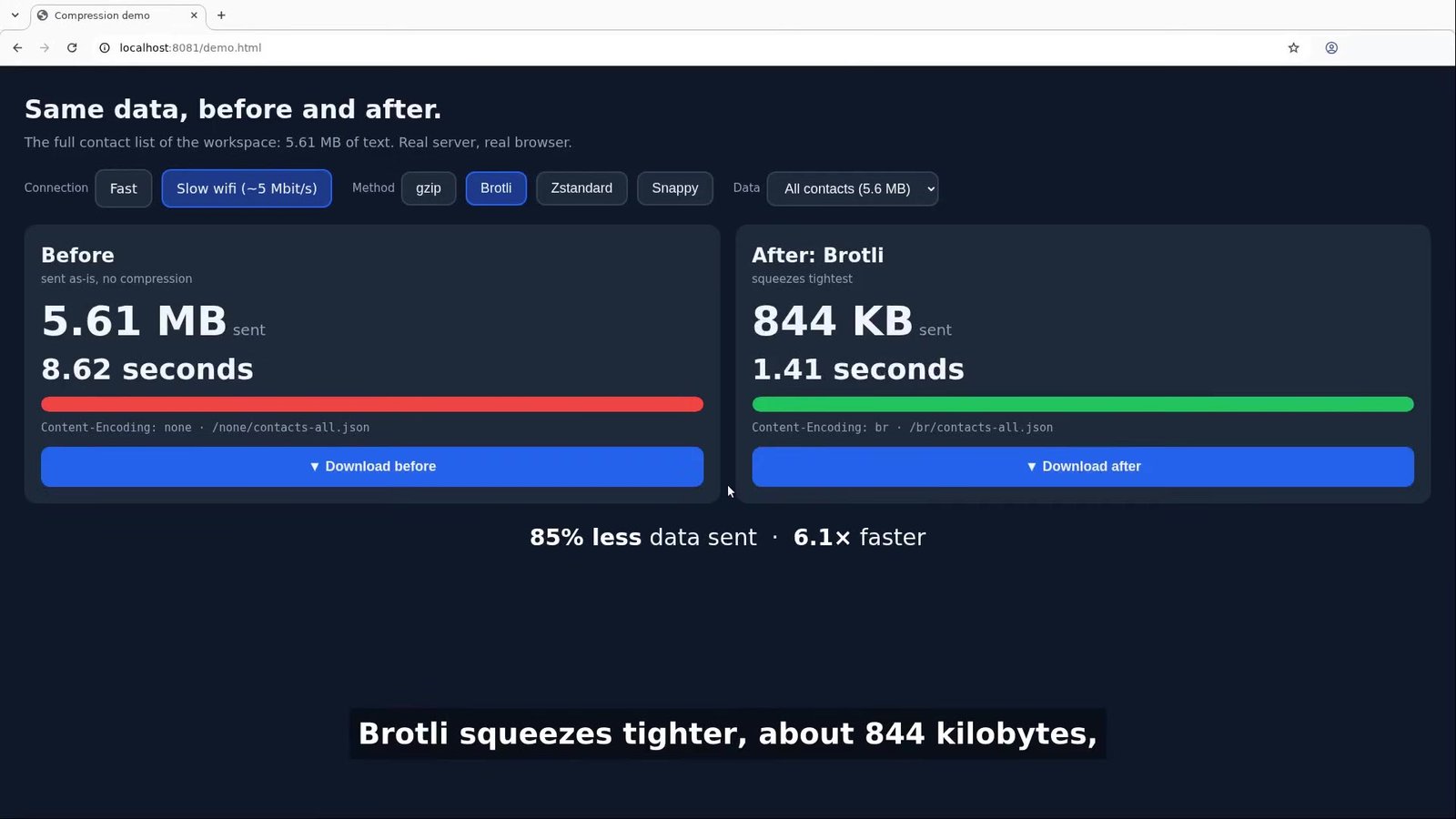
We tested one simple fix on our own task management app: HTTP compression. Think of a vacuum bag for clothes: same clothes, much smaller package. The server squeezes the data before sending it, and your browser unpacks it automatically.

The real board request, measured live:
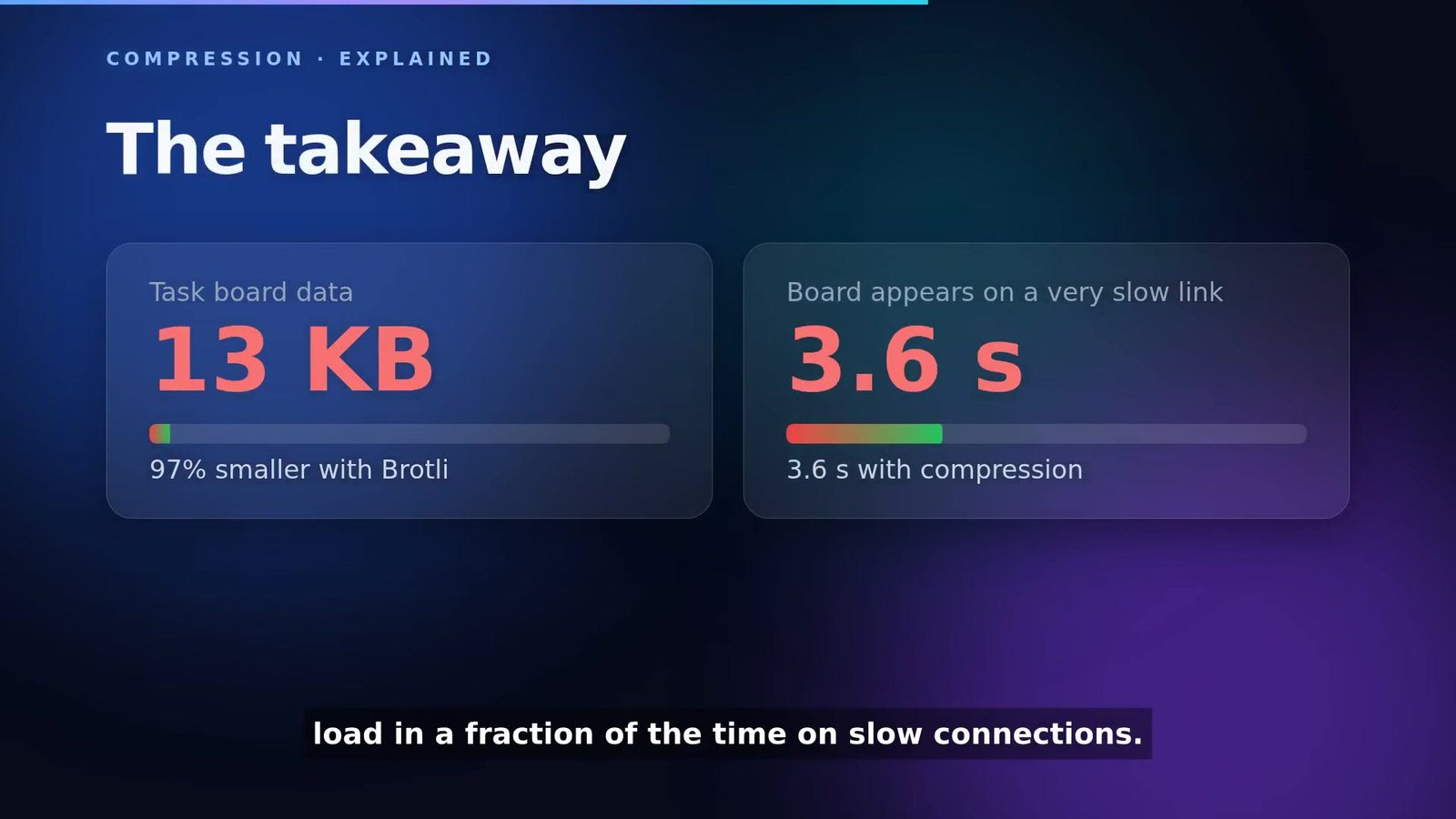
📦 390 KB → 13 KB (97% smaller)
⏱️ Board appears on a very slow link: 11.8 s → 3.6 s
⏱️ Same board on slow wifi: 4.3 s → 1.9 s

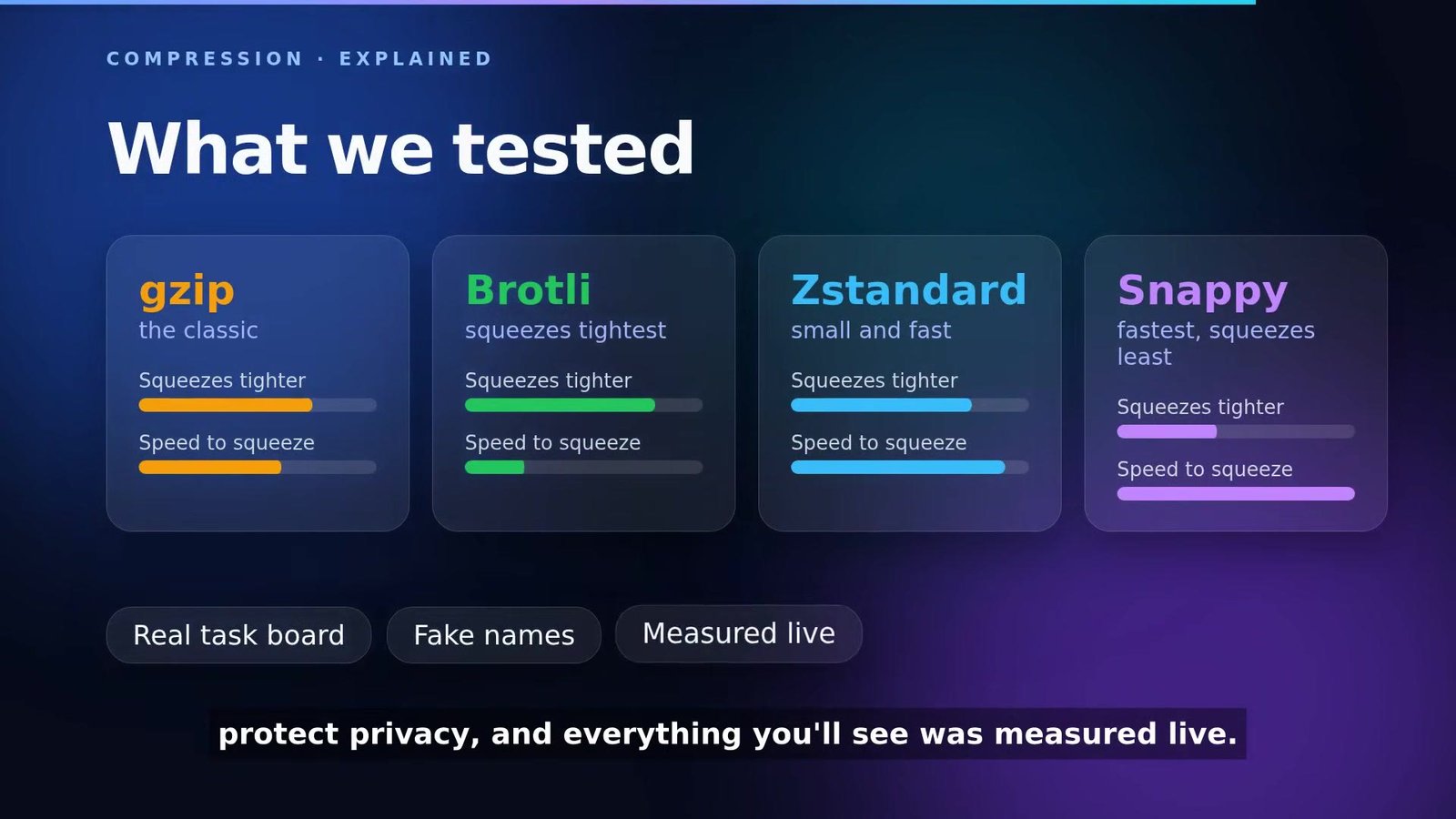
We compared four methods in the video:
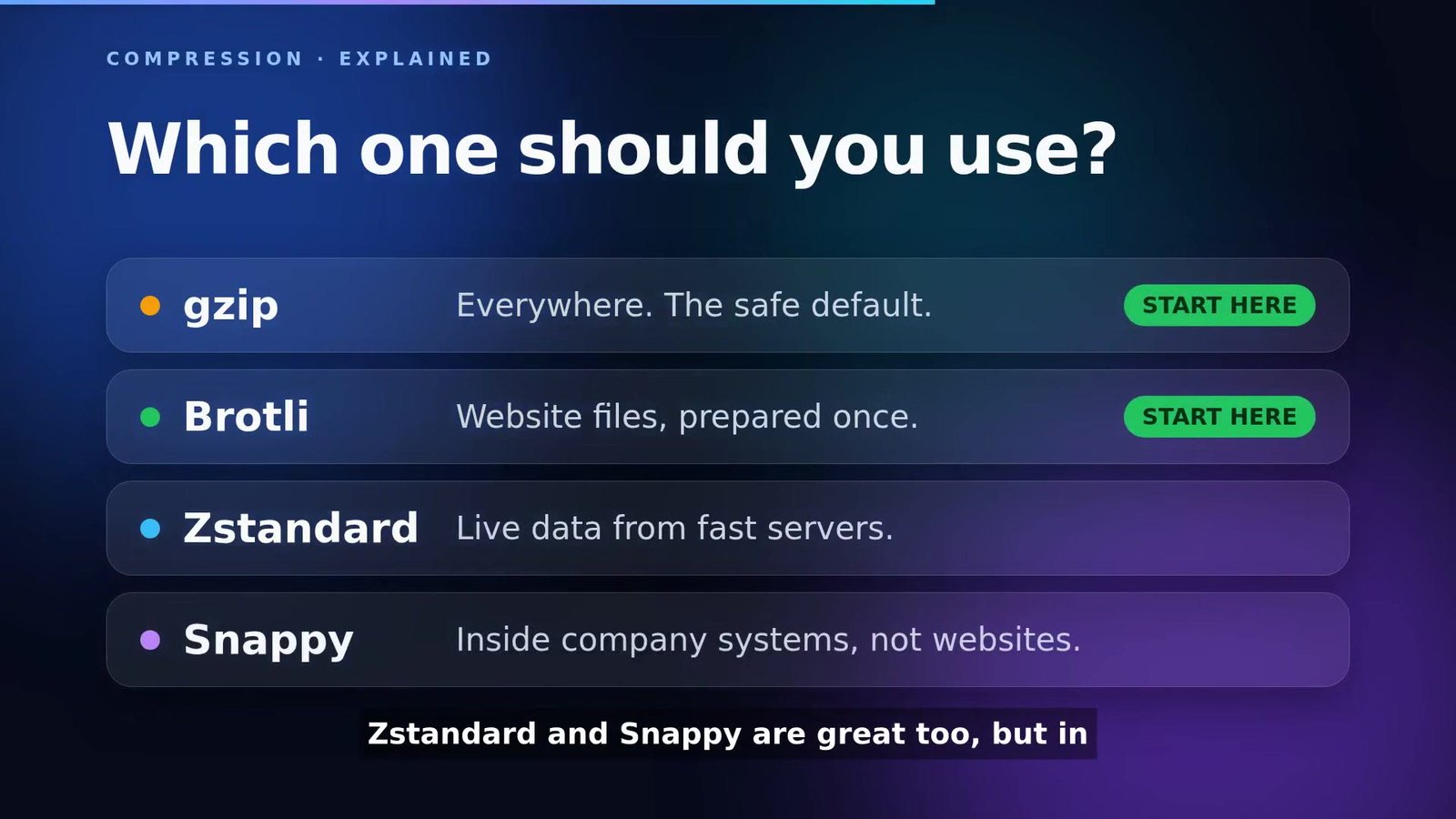
• gzip: the classic, works everywhere
• Brotli: squeezes tightest, best for website files
• Zstandard: about as small as gzip, much faster to prepare
• Snappy: squeezes least but is the fastest, used between servers

My honest takeaway: for most apps, turning on gzip or Brotli on your web server is one setting and gives almost all the benefit. And on a fast connection? It didn't help at all. Compression pays off where the network is slow.

Which one does your stack use today? 👇

#WebPerformance #Compression #Brotli #gzip #SoftwareEngineering #WebDevelopment #Laravel #NextJS #TechExplained

Why does your app feel slow? Most of the wait is data downloading from the server
What is HTTP compression: the server squeezes data before sending it, like a vacuum bag for clothes
gzip, Brotli, Zstandard and Snappy compared on compression ratio and speed
Brotli before and after on slow wifi: 5.61 MB in 8.62 s down to 844 KB in 1.41 s
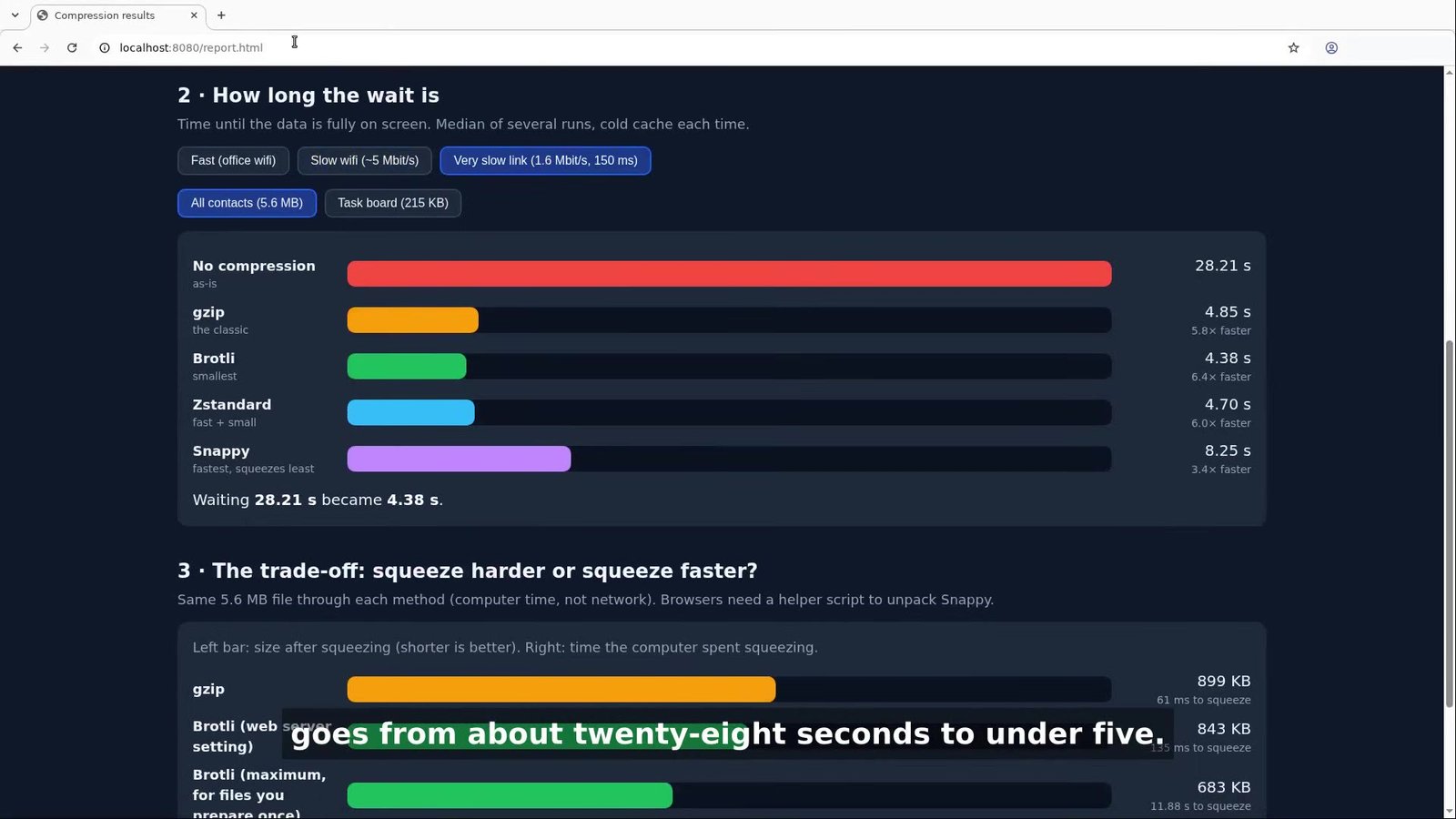
Compression benchmark: load time on a very slow link drops from 28 seconds to under 5 seconds +2
Which compression to use: gzip everywhere, Brotli for website files, Zstandard for live data, Snappy between servers
HTTP compression takeaway: task board data 13 KB, 97% smaller with Brotli, board appears in 3.6 s on a very slow link

Code Campus — Python & AI Learning Platform

Oct 2, 2026

Most beginners spend their first 3 hours of learning Python wrestling with local environments, pip dependencies, and terminal errors instead of actually writing code.
On the other side, instructors spend hours tracking assignments across spreadsheets and endless email submissions.
To solve both problems, I built Code Campus — an all-in-one platform for teaching and learning Python without any setup friction. Here is a quick walkthrough of how it works:

👨‍🏫 For Instructors:
• Live Roster amp; Analytics: Real-time visibility into student progress, pass/fail rates, and average scores.
• Structured Assignment Builder: Create rich assignments with formatted task briefs, test data, pass thresholds, and optional starter code.
• Results Matrix: Complete breakdown of every student across every assignment with one-click submission review.
• Course Guidelines: Publish centralized grading rubrics and rules directly to student portals.

👨‍💻 For Students:
• Zero-Install In-Browser Editor: Write Python code, install packages (pandas, numpy), and execute scripts instantly with output rendering in real-time.
• Clear Assignment Tracking: Transparent statuses (Not Started, In Progress, Submitted, Graded).
• Submission Locking: Automatic file-locking while awaiting instructor review.
• Personal Growth Dashboard: Track historical performance, score averages, and playground projects.
💡 The goal was simple: Eliminate setup headaches so instructors can focus on teaching and students can focus on coding.

🎬 Check out the demo video below!

📩 Want a live demo or want to try it out? Send me a DM or drop a comment below and I’ll share access